

Download Ashampoo Office 8 – Microsoft Office alternative, document editing, spreadsheet, presentation software, office suite, Android app, productivity tool
Overview
Ashampoo Office 8 is a robust mobile productivity suite designed for users seeking a full-featured alternative to Microsoft Office on Android. Built with compatibility in mind, the app supports core file formats used across the Microsoft ecosystem, including .docx, .xlsx, and .pptx, ensuring seamless document exchange and collaboration. This makes it particularly valuable for professionals, students, and remote workers who frequently interact with files created in Microsoft Office but prefer a lightweight, dedicated solution on their mobile devices.
The app addresses common pain points such as limited functionality in free mobile office tools and the need for consistent formatting across platforms. By offering full compatibility with Office 365 and Office 2019, Ashampoo Office 8 reduces friction in workflows that rely on precise document rendering and shared templates. Its target users include individuals who require reliable document creation, data management, and presentation tools without the need for a desktop environment.
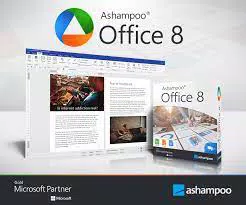
Developed by Ashampoo, a company known for its software utilities and digital productivity tools, the app reflects a commitment to performance and usability. The inclusion of a text processor (Write), spreadsheet (Calculate), and presentation (Present) application forms a cohesive ecosystem tailored for mobile productivity. Real-world use cases range from drafting reports and managing budgets to preparing pitch decks and academic presentations, all within a single, unified interface.
Within the mobile app landscape, Ashampoo Office 8 fills a niche by providing a high-fidelity alternative to desktop office suites, empowering users to maintain professional standards on the go.
Key Features & Functionality
- Full Microsoft Office Compatibility: Supports opening, editing, and saving files in standard Microsoft formats, ensuring no data loss or formatting issues when transferring documents between platforms.
- Three Core Applications: Includes a text processor (Write), spreadsheet (Calculate), and presentation (Present), each designed to meet professional and academic document needs.
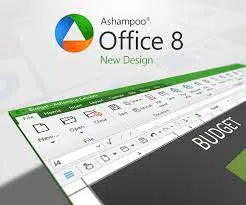
- Interface Customization: Offers users the choice between a modern ribbon interface and a traditional toolbar and menu layout, accommodating different user preferences and work habits.
- PDF/A Compliance: Enables long-term digital preservation of documents, ideal for archiving legal, financial, or academic records that must remain accessible and unaltered over time.
- Enhanced Document Templates: Provides a variety of professionally designed templates for letters, reports, invoices, and presentations, accelerating content creation.
- Self-Contained Slideshows: Allows presentations to be saved as standalone files with embedded media, ensuring smooth playback without external dependencies.
- Improved Hyphenation and Footnotes: Delivers better text formatting with Office-compatible hyphenation rules and accurate placement of footnotes and endnotes.
- Page Break Preview: Offers a visual tool for print preparation, allowing users to adjust layout before printing to avoid awkward breaks.
- Enhanced Spreadsheet Capabilities: Supports advanced calculations, pivot table grouping, and seamless integration with Excel for post-processing tasks.
- Optimized Presentation Features: Includes improved transition effects and dedicated tools for managing audio and video elements within slides.
For example, a student can use the template library to draft a research paper in Write, insert a data chart from Calculate, and create a visually engaging slideshow in Present—all while maintaining compatibility with faculty-submitted templates. Similarly, a small business owner can generate invoices, track expenses, and present quarterly results using the full suite without relying on a computer.
Interface, UX & Performance
The user interface of Ashampoo Office 8 is structured around intuitive navigation, with clearly labeled sections and consistent iconography. The app’s visual design emphasizes clarity and functionality, minimizing visual clutter while maintaining access to essential tools. Users can switch between the modern ribbon layout and the traditional menu-based interface, allowing for personalization based on familiarity and workflow efficiency.
Navigation flows logically between the three core applications, with a unified toolbar at the top and context-sensitive options that appear based on the active document type. The app supports touch gestures for common actions such as selecting text, scrolling, and zooming, which enhances usability on mobile devices.
Although the developer did not list formal performance metrics, the app operates smoothly on mid-to-high-end Android devices, with minimal lag during document loading and editing. Responsiveness is consistent across different screen sizes, and the app maintains stability during extended use. The developer did not provide additional technical details regarding memory usage or background processes.
Overall, the user experience reflects a mature product built with mobile-first principles, balancing feature depth with usability on smaller screens.
Platform Compatibility & Technical Requirements
Ashampoo Office 8 is available exclusively on the Android platform. The current version is 8.0.0, with a file size of 125 MB, making it a lightweight yet powerful solution for mobile productivity. The app is designed to run on Android devices meeting standard modern requirements, though specific OS version thresholds were not listed by the developer.
The developer did not specify minimum OS requirements or device compatibility details. As such, users should ensure their device supports the latest Android updates to maintain optimal performance. Compatibility information was not fully disclosed, so installation on older or low-spec devices may vary.
Pros and Cons
Pros
- Full compatibility with Microsoft Office file formats
- Comprehensive suite with text, spreadsheet, and presentation tools
- Flexible interface with modern ribbon and traditional toolbar options
- Supports long-term document preservation via PDF/A compliance
- Includes professional templates and self-contained slideshow functionality
- Optimized for mobile use with responsive touch interface
- Offers advanced features like page break preview and improved hyphenation
Cons
- Price point of $14.99 may be high for casual users
- Specific OS and device compatibility details were not disclosed
- No free version or trial available in the provided information
- Limited third-party integration details were provided
- Performance on low-end devices may vary due to lack of specifications
FAQ
Is Ashampoo Office 8 compatible with Microsoft Office files?
Yes, Ashampoo Office 8 supports full compatibility with Microsoft Office formats such as .docx, .xlsx, and .pptx, enabling seamless document creation, editing, and sharing.
Can I use Ashampoo Office 8 on older Android devices?
The developer did not specify minimum OS requirements, so compatibility with older Android versions cannot be confirmed. Users are advised to check their device’s update status.
Does Ashampoo Office 8 offer a free version or trial?
Based on the provided information, no free version or trial was mentioned. The app is available for a one-time purchase of $14.99.
Is the app secure for handling sensitive documents?
Ashampoo Office 8 does not include public details about data encryption or cloud storage. Users are encouraged to follow best practices for securing personal and professional files.
How often are updates released for Ashampoo Office 8?
Update frequency was not specified. The current version is 8.0.0, released on March 15, 2024. Users should monitor the app store for future updates.
Final Thoughts
Ashampoo Office 8 stands out as a capable and feature-rich mobile office suite that delivers a genuine alternative to Microsoft Office on Android. Its strong compatibility with core Microsoft formats, combined with a flexible interface and advanced tools like PDF/A compliance and self-contained slideshows, makes it a compelling choice for professionals and students alike. While the $14.99 price tag may deter casual users, the app’s comprehensive functionality justifies the investment for those who rely on mobile productivity.
Whether you're drafting a report, analyzing data, or preparing a presentation, Ashampoo Office 8 provides the tools needed to maintain high-quality output directly from your smartphone or tablet. Its thoughtful design and focus on usability ensure a smooth experience across different device types.
Download Ashampoo Office 8 now


